Auction Website Speed: Why Sale Day Traffic Breaks Slow Sites
Auction traffic arrives in a spike in the 48 hours before a sale, which is exactly when a slow catalog page fails. Here is what to measure and what to fix.
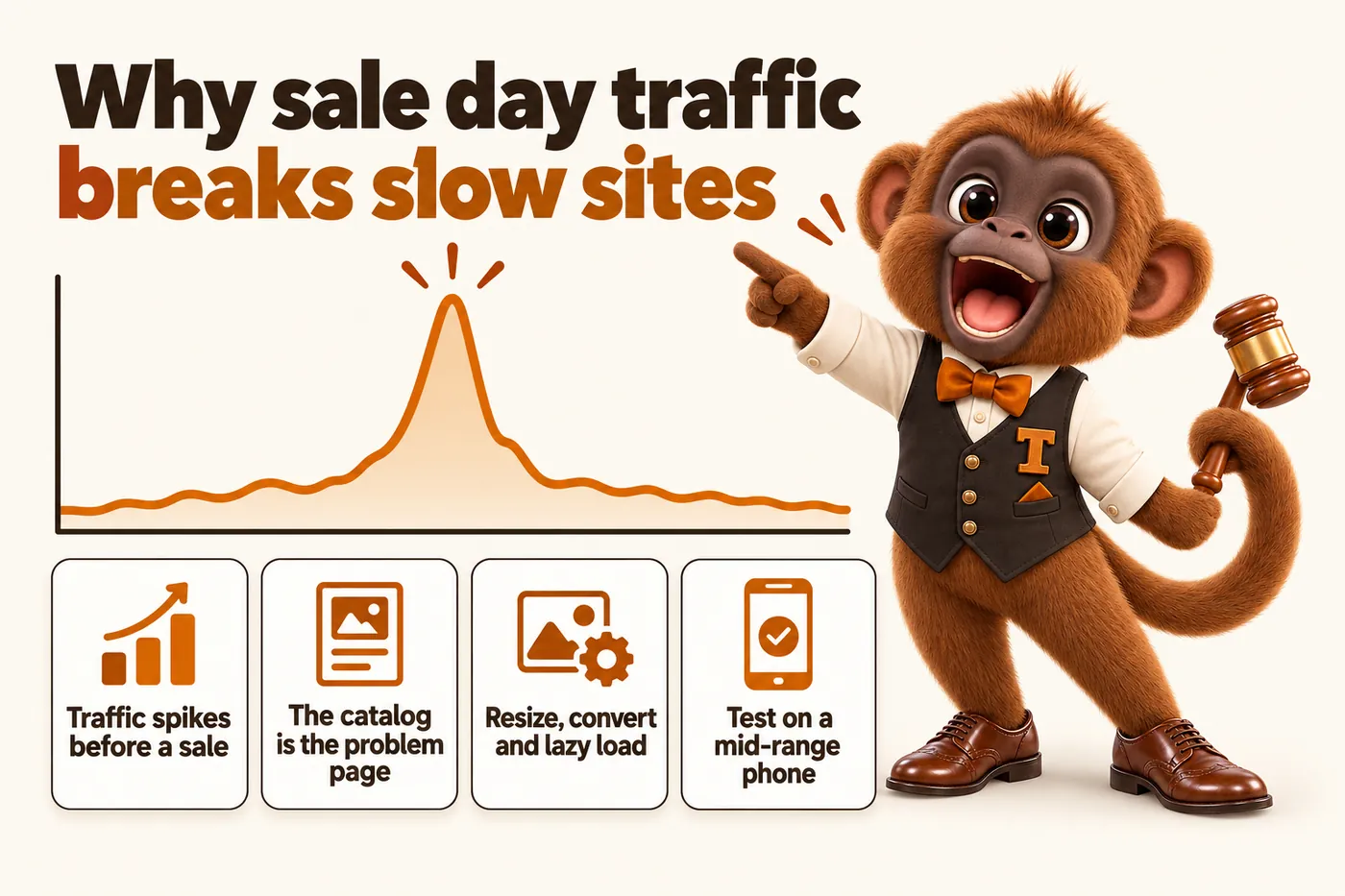
Auction websites need to be faster than most small business sites because their traffic is not spread across the month, it arrives in a spike in the 48 hours before a sale, on phones, often on weak rural connections, and lands on the single heaviest page on the site: the lot catalog. A plumber’s website serving a steady trickle of visitors can get away with a slow page. An auction house that pushes an email and three social posts about Saturday’s estate sale sends a few thousand people at one catalog page inside two days, and whatever is wrong with that page gets multiplied by every one of them at once.
That is the whole argument. The rest of this article is the detail: what the speed metrics actually measure and what Google publishes as the thresholds, why a catalog of 200 photos is nearly always the culprit, what a page builder adds that you cannot take out, what caching and a content delivery network really do, what happens to shared hosting when a local sale takes off, how to test your own site honestly, and what a 90+ PageSpeed score does and does not tell you.
Why speed matters more for an auction site than for most small businesses
The difference is the shape of the traffic. Most small business websites receive a fairly even flow of visitors: a few dozen a day, arriving from search, spread across working hours. An auction house website receives almost nothing for four days and then absorbs a concentrated surge driven by an email to the bidder list, a set of social posts, a listing that just went live on a bidding platform, and local word of mouth about a particular estate or a particular piece of equipment.
Three things make that surge unforgiving. The first is that the surge lands on the catalog, which is the heaviest page you publish, rather than on a light homepage. The second is that it is overwhelmingly mobile, because people check a sale from the truck, the kitchen and the job site rather than from a desk. The third is the connection: farm and heavy equipment sales, estate sales at rural properties and government surplus lots pull bidders who are genuinely on two or three bars of signal, and a page that needs four megabytes before it shows anything simply does not appear for them.
There is a compounding effect too. A visitor who gives up on a slow catalog does not merely fail to register for this sale. They do not join the email list, they do not see the consignor information, and they are marginally less likely to click the next sale announcement. One slow catalog costs a sale’s worth of registrations. A slow catalog every week costs a bidder list.
The 48 hour window in practice
The window that matters runs from the moment the sale announcement goes out to the moment the sale closes. Preview day, the evening before, and the two hours before a live simulcast starts are the three sharpest peaks inside it. Your site does not need to be fast on a Tuesday afternoon in the abstract. It needs to be fast on Friday evening when several hundred people open the catalog at once to plan what they are bidding on tomorrow.
What Core Web Vitals actually measure
Core Web Vitals are three field metrics that describe what a real visit felt like, and Google publishes the thresholds for each. They are not a score out of 100 and they are not simulated. They come from real visits by real Chrome users, assessed at the 75th percentile, which means three quarters of your visits must meet the threshold for the page to pass.
Largest Contentful Paint measures how long it takes for the biggest piece of content in the viewport to render: usually the hero image on a sale listing or the first lot photograph on a catalog. The published threshold is 2.5 seconds or less for a “good” experience, with anything over 4 seconds classed as poor. This is the metric a photo-heavy catalog fails most often, because the browser is trying to fetch a very large image while competing with everything else the page demands.
Interaction to Next Paint measures responsiveness: the delay between a visitor tapping something and the screen visibly changing. The threshold is 200 milliseconds or less, with over 500 milliseconds classed as poor. On an auction site this is the tap on a lot thumbnail, the filter for a category, or the search box on a long catalog. When a page carries a lot of script, the main thread is busy and the tap appears to do nothing, which is exactly when a bidder taps it again and makes it worse.
Cumulative Layout Shift measures visual stability: how much the content jumps around while it loads. The threshold is 0.1 or less, with over 0.25 classed as poor. A catalog where images have no reserved dimensions is the classic offender. The bidder goes to tap lot 41, an image above it finishes loading, everything shifts down, and they tap lot 39 instead.
These metrics also feed Google’s page experience signals in Search, which matters for a business whose bidders find sales by searching for them. But the search angle is secondary. The primary reason to care is that these three numbers are a fair description of whether the page works for a person standing in a field with one hand on a phone.
Why a catalog of 200 photos is the usual culprit
Images are almost always where the weight is, because a catalog is fundamentally a page of photographs and every other page on the site is not. Consider what happens when the person cataloging a sale uploads straight from the camera. A modern phone or camera produces images several thousand pixels wide, and a single one can be three to six megabytes. Multiply that by a catalog of 200 lots and the page is asking a phone to pull hundreds of megabytes for a grid where each thumbnail displays at a few hundred pixels across.
Most content systems will happily accept that upload and then display the full-size file scaled down in the browser. The image looks correct. The bytes are all still transferred. This is the single most common reason an auction catalog is slow, and it is also the easiest to fix, because it requires no redesign at all.
Sizing: serve the pixels the layout actually uses
A thumbnail displayed at 400 pixels wide needs an image around 800 pixels wide, to stay sharp on a high-density screen, and nothing more. The full-resolution photograph belongs behind the click, on the lot detail view, where one image loads instead of two hundred.
The mechanism that does this properly is responsive images: several sizes of each photograph generated at build or upload time, described to the browser so it can pick the right one for the device and the layout. A phone then downloads the small version and a desktop downloads the large one, instead of everyone downloading the largest.
Formats: modern compression is the free win
Modern image formats produce visibly identical photographs at a fraction of the file size of an old JPEG, and browser support is now broad enough to use them as the default with a fallback. AVIF compresses hardest and WebP is the safe middle ground. Converting a catalog from full-size JPEG to correctly sized AVIF with a JPEG fallback routinely cuts the page weight by most of its total, without a single visible change to the design.
A related point specific to auctions: condition photographs matter. A bidder judging a hairline crack on a piece of glass or rust on a tractor deck needs real detail. The answer is not to compress everything into mush; it is to keep the thumbnail grid light and let the detail view load a high-quality image on demand, where one visitor is looking at one lot.
Loading: below the fold can wait
Lazy loading tells the browser not to fetch an image until the visitor is close to scrolling it into view. On a 200 lot catalog this is the difference between fetching 200 images to show the first screen and fetching the 8 that are actually visible. Two cautions matter. Do not lazy load the image at the top of the page, because that is usually the Largest Contentful Paint element and delaying it makes the metric worse. And always set explicit width and height attributes so the browser reserves the space, which is what keeps Cumulative Layout Shift near zero while images stream in.
A worked illustration
The numbers below are illustrative rather than measured from a real site, and they show the shape of the problem rather than a promise about yours:
| Catalog approach | Images fetched for first screen | Rough transfer |
|---|---|---|
| Camera-resolution JPEG, all loaded | 200 | Hundreds of megabytes |
| Resized JPEG thumbnails, all loaded | 200 | Tens of megabytes |
| Resized AVIF thumbnails, lazy loaded | 8 | Well under a megabyte |
The third row is not an exotic engineering achievement. It is what happens when images are generated at the right size, in the right format, and loaded when needed.
What a page builder adds that you cannot remove
A page builder ships a fixed amount of code on every page whether that page uses it or not, and you cannot delete it without leaving the builder. This is not a criticism of any particular product. It is the trade a visual builder makes: to let you drag any element anywhere, it must load the machinery capable of rendering any element anywhere, in advance, everywhere.
In practice that means each page carries the builder’s own rendering framework, a stylesheet covering every component in the library, a script bundle for interactivity you may not be using, and frequently a font loader, an icon set and an animation library. Then the plugins arrive: a slider, a form handler, a cookie banner, a chat widget, an analytics tag, a gallery add-on to make the catalog grid work. Each one adds its own scripts and often its own copy of a shared library.
On a contact page with four fields, this overhead is invisible. On a catalog page it is not, because that overhead is now competing for the same connection and the same main thread as several hundred images. Script that must be parsed and executed before the page responds is what pushes Interaction to Next Paint past the threshold, and every kilobyte that arrives before the first lot photograph pushes Largest Contentful Paint later.
There is a maintenance dimension too. A builder site tends to get slower over time, because the way you add a feature is to add another plugin, and nobody ever removes one. A custom-coded site ships the code that page needs and nothing else, which is why the catalog template can carry image handling, filtering and a lightbox and still weigh less than a builder’s empty page.
Caching and a content delivery network, in plain terms
Caching means keeping a ready-made copy of a page so the server does not have to build it again, and a content delivery network means keeping those copies in many places around the world so the copy is physically near the visitor. Both are simple ideas with a large effect on sale day.
Without caching, every visitor triggers work: the server runs code, queries a database for the sale and its lots, assembles the HTML and sends it back. That work is identical for the 1st and the 900th visitor asking for the same catalog, which makes repeating it pure waste. Caching does it once and hands out the result.
A content delivery network adds distance to the picture. If your server sits in one data center and a bidder is several hundred miles away, every request pays for that round trip. A delivery network stores your pages and images at edge locations spread across the country, so the bidder is served from somewhere close. The effect is most noticeable on images, which is again most noticeable on the catalog.
The strongest version of this for an auction site is to publish pages as static files. The catalog is generated when you update it rather than when someone asks for it, so what a visitor receives is a file that already exists, served from an edge location. There is no database query to be slow and no application server to run out of capacity. When the sale changes, the affected pages are rebuilt and republished. This is why a well-built auction site can absorb a traffic spike that would flatten a database-driven one, and why the same site costs less to host.
What happens to shared hosting when a sale goes viral locally
Shared hosting fails on concurrency, not bandwidth, and it fails suddenly rather than gradually. A shared plan gives your site a small allocation of simultaneous PHP workers or processes on a machine you share with many other sites. Each request for a database-driven page occupies one worker for the entire time it takes to build the page.
Picture a local news item or a well-shared post about a farm dispersal sale. Suddenly 200 people request the catalog in the same few seconds. If the plan allows, say, 10 concurrent workers and each page takes half a second to build, the queue forms immediately. Visitor 50 waits for the 40 ahead of them. Some requests time out. The host may throttle the account or return a resource limit error, and the site is effectively down at the exact hour the sale needed it most.
The symptoms are recognizable if you have lived through one: the site is fine all week, it crawls or errors for an hour or two around the announcement or the preview, and then it is fine again by the time you get around to looking. Nothing is broken in a way you can find on Monday, which is why this problem often goes undiagnosed for years.
Three things prevent it. Serve static pages so there is no per-request work to queue. Put a delivery network in front so most requests never reach the origin at all. And keep the page light so each visitor takes less of whatever capacity exists. A site built that way treats a local-viral sale as a good day rather than an outage.
How to test your own site honestly
Test on a mid-range phone, on mobile data, on the catalog page of your next sale, and time it with a stopwatch. Everything else is supplementary. The most common mistake an auction house makes when assessing its own site is to load the homepage on a fast office connection on a recent laptop, conclude that the site is fine, and never look at the page that actually receives the traffic.
A defensible five-step test:
- Pick the right page. Not the homepage. The catalog for your next sale, with a full set of lots loaded, plus one lot detail page.
- Use a real phone that is a few years old, not the newest one in the office. That device is much closer to what your bidder list is carrying.
- Turn off wifi. Test on mobile data, ideally somewhere with imperfect signal, because that is where a bidder standing at a preview will be.
- Time two things with a stopwatch: how long until you can read something, and how long until the first lot photograph appears. Then scroll fast and watch whether the layout jumps as images arrive.
- Tap a filter or a lot and count. If the tap does not visibly respond almost immediately, that is your Interaction to Next Paint problem in the real world.
Then run a lab tool to explain what you felt. Lighthouse, built into Chrome’s developer tools, and Google’s PageSpeed Insights both report the three Core Web Vitals and a list of specific opportunities. PageSpeed Insights is the more useful of the two for this purpose, because where enough real Chrome visits exist it shows field data alongside the lab simulation. Field data is what your bidders actually experienced. Lab data is a model.
Run the check before and after each sale announcement if you can. A site that passes on a quiet Tuesday and fails on a Friday evening is telling you something specific about capacity rather than about page weight.
What “90+ PageSpeed” really means and does not mean
A 90+ score means one page, in a simulated environment, showed no major performance problems in a lab test. Chrome’s own documentation on how the score is calculated sets the bands at 0 to 49 for poor, 50 to 89 for needs improvement, and 90 to 100 for good, and describes the result as a weighted blend of several lab metrics under simulated network and CPU conditions.
Read carefully, that definition tells you what the number is not. It is not a measurement of your real bidders. It is not a ranking guarantee. It is not a property of your whole site, because it is one page at a time and the homepage of a slow site is often the fast page. And it is not stable: the same page scored twice can differ by several points, because the simulation is affected by the machine and the network it ran on.
So what is a 90+ score good for? It is a good hygiene signal. A page scoring in the nineties almost certainly is not shipping camera-resolution images, is not blocking rendering with megabytes of script, and does not shift its layout as it loads. That is genuinely worth committing to, and it is worth holding a website provider to as a standard on the pages they build and host. Just pair it with the honest question underneath, which is whether the catalog for this Saturday’s sale opens quickly on a five year old phone in a farm yard.
For an auction house, the useful framing is this. The score is the promise that the build is not carrying obvious waste. The field metrics are the evidence that it worked. The stopwatch on a real phone is the check that keeps both honest.
A short prioritised fix list
If your catalog is slow, work in this order, because the effort is wildly uneven and the first two items usually account for most of the gain:
- Resize the images. Serve thumbnails at thumbnail dimensions and keep the full-resolution file behind the click.
- Convert to a modern format with a fallback, and lazy load everything below the first screen while setting explicit dimensions on every image.
- Remove plugins you do not use, and any that duplicate something else already loaded.
- Put a content delivery network in front of the site, which is often a same-day change.
- Move to static pages so a traffic spike becomes a non-event, which is a rebuild rather than a tweak but also removes the whole class of problem permanently.
Nothing on that list is bidding, licensing or valuation advice, and none of it changes how you run a sale. It is website work on the pages your bidders use.
Where to go from here
If your catalog slows down in the 48 hours that matter, the fix is usually images, weight and hosting, in that order, and it is worth measuring before deciding. What a managed, custom-coded auction site costs on each of the three plans is on the pricing page, with the one-time build fee invoiced only after the site is live and approved. Every plan includes 90+ PageSpeed on the pages built and hosted, with the caveats about what that score means spelled out above rather than hidden.
If you would rather see your own numbers than read about the general case, book a demo and we will open your current catalog page alongside a built example, on a phone, and go through what is actually slowing it down. We build and manage the website. The sale, the catalog and the terms stay entirely yours.
Sources
Frequently asked questions
What counts as a fast enough auction website?
Google's published thresholds are a Largest Contentful Paint at or under 2.5 seconds, an Interaction to Next Paint at or under 200 milliseconds, and a Cumulative Layout Shift at or under 0.1, each measured at the 75th percentile of real visits. For an auction site the practical test is narrower: the catalog page for your next sale should hit those numbers on a mid-range phone on mobile data, not on office wifi.
Why is the lot catalog always the slowest page on an auction site?
Because it is the only page that loads hundreds of photographs at once. A 200 lot catalog with a full-size image per lot can move tens of megabytes over the wire if the images are served at camera resolution. Resizing, modern formats and lazy loading below the fold usually fix most of it without touching anything else.
Does a page builder make an auction site slow?
It adds weight you cannot remove, which matters most on the catalog. A builder ships its own rendering framework, a large stylesheet and a set of scripts on every page regardless of what that page contains, and plugins add more on top. On a simple contact page that weight is invisible; on a catalog page competing with 200 images for bandwidth, it is the difference between a fast page and a slow one.
What actually happens to a shared hosting plan when a sale goes viral locally?
The server runs out of workers before it runs out of bandwidth, so requests queue and everyone waits. Shared hosting allocates a small number of simultaneous processes, and a page that rebuilds itself from a database on every request consumes one for the whole render. Static pages served from a content delivery network avoid this because the page a visitor gets was already built.
Does a 90+ PageSpeed score guarantee a fast site for real bidders?
No. A Lighthouse score is a lab simulation of one page on one simulated device, and Chrome's own documentation treats it as a diagnostic rather than a guarantee. It is a good signal that nothing is obviously broken, but real bidders on real phones are measured by field data, so a good score and good field metrics are two separate things worth checking.
Want a site like the one described here? Book a demo with GetAuctionWebsite